
Views: List, Kanban, Roadmap & Gantt
The same records, shown the way each team works best.
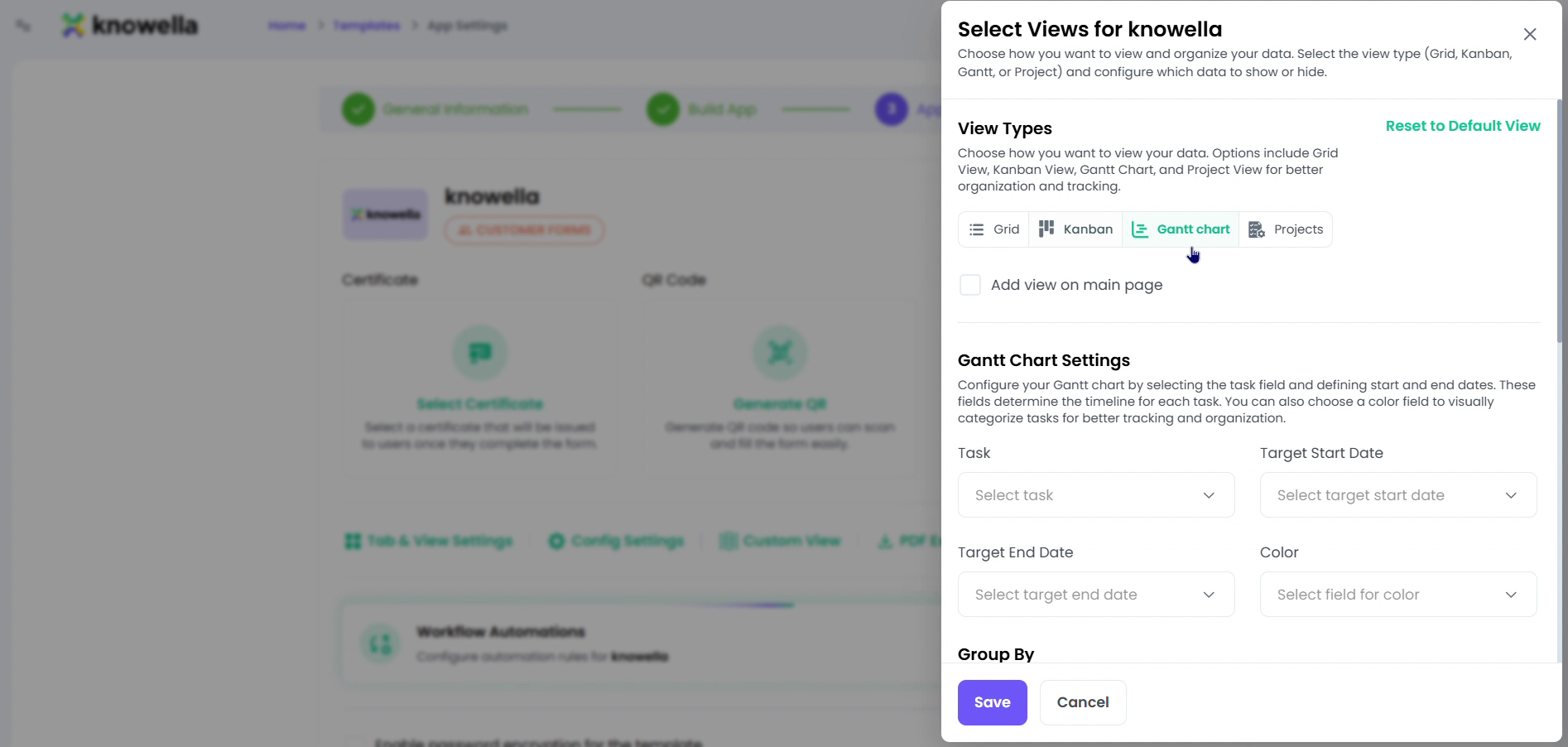
Choose how records display
This is the Select Views panel in an app's App Settings. At the top you choose one or more View Types — List, Kanban, Roadmap, and Project — each a different way to lay out the very same records. Below, Gantt Chart Settings let a timeline view read a start and target date, and Group By clusters records by any field. Whatever you enable here becomes a tab your team can switch between when they open the app.
- List & Kanban — A sortable table, or cards grouped by status.
- Roadmap & Project — Timeline views with Gantt settings and start/end dates.
- Group By — Cluster records by any field for faster scanning.
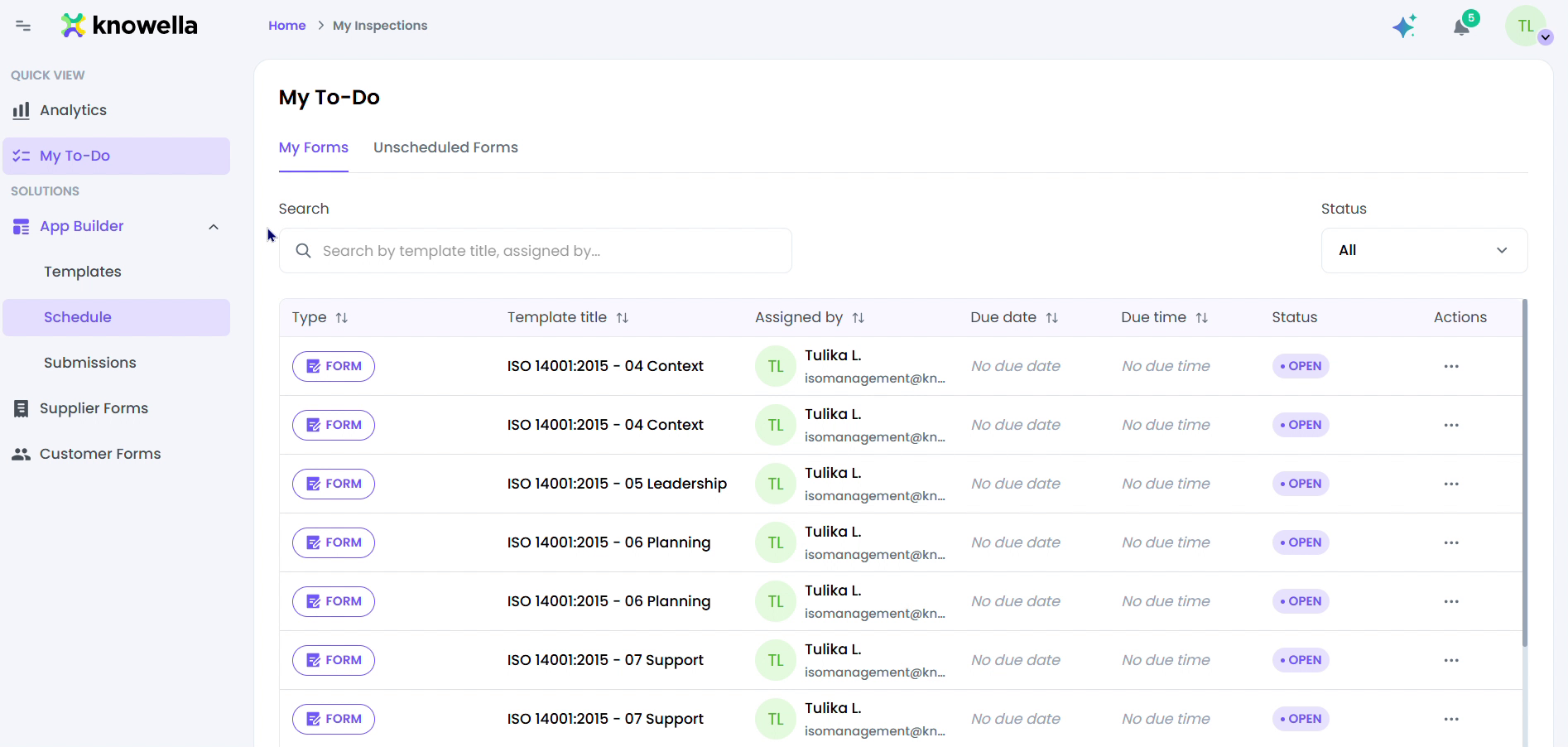
Work the records
In day-to-day use, a view like My To-Do lists every record with its status, owner, and due date — filter, sort, and open any item to act on it.
Why it matters
A dispatcher, a safety lead, and a project manager each want to see the same work a different way. Multiple views give every person the layout that fits their job, without anyone maintaining a separate copy of the data.
Ready to build your own?
Start free and ship your first app in minutes — or have us set it up with you.
More guides in Workflows & Forms
More resources