
Build an app in App Builder
Turn any form, inspection, or process into a live Knowella app — from a blank template to a published, ready-to-use tool.
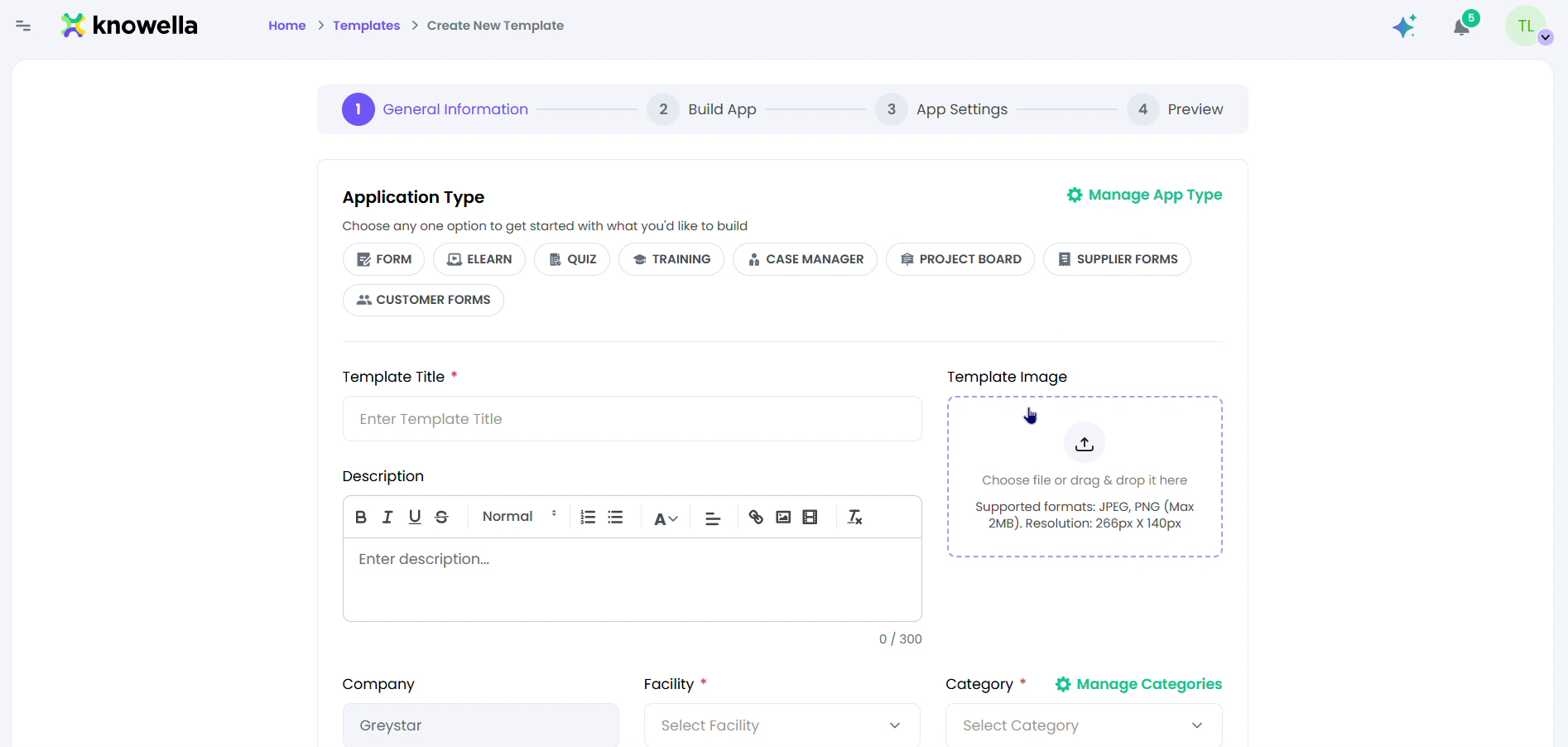
Start with General Information
In App Builder, choose Create New Template. The builder is a four-step wizard — General Information → Build App → App Settings → Preview. This first step gives your app its identity.
- Application Type — Pick what you're building — Form, eLearn, Quiz, Training, Case Manager, Project Board, or Supplier/Customer Forms.
- Template Title & Image — Name the app and add a cover so it's easy to find.
- Company · Facility · Category — Scope the app so the right site and team see it.
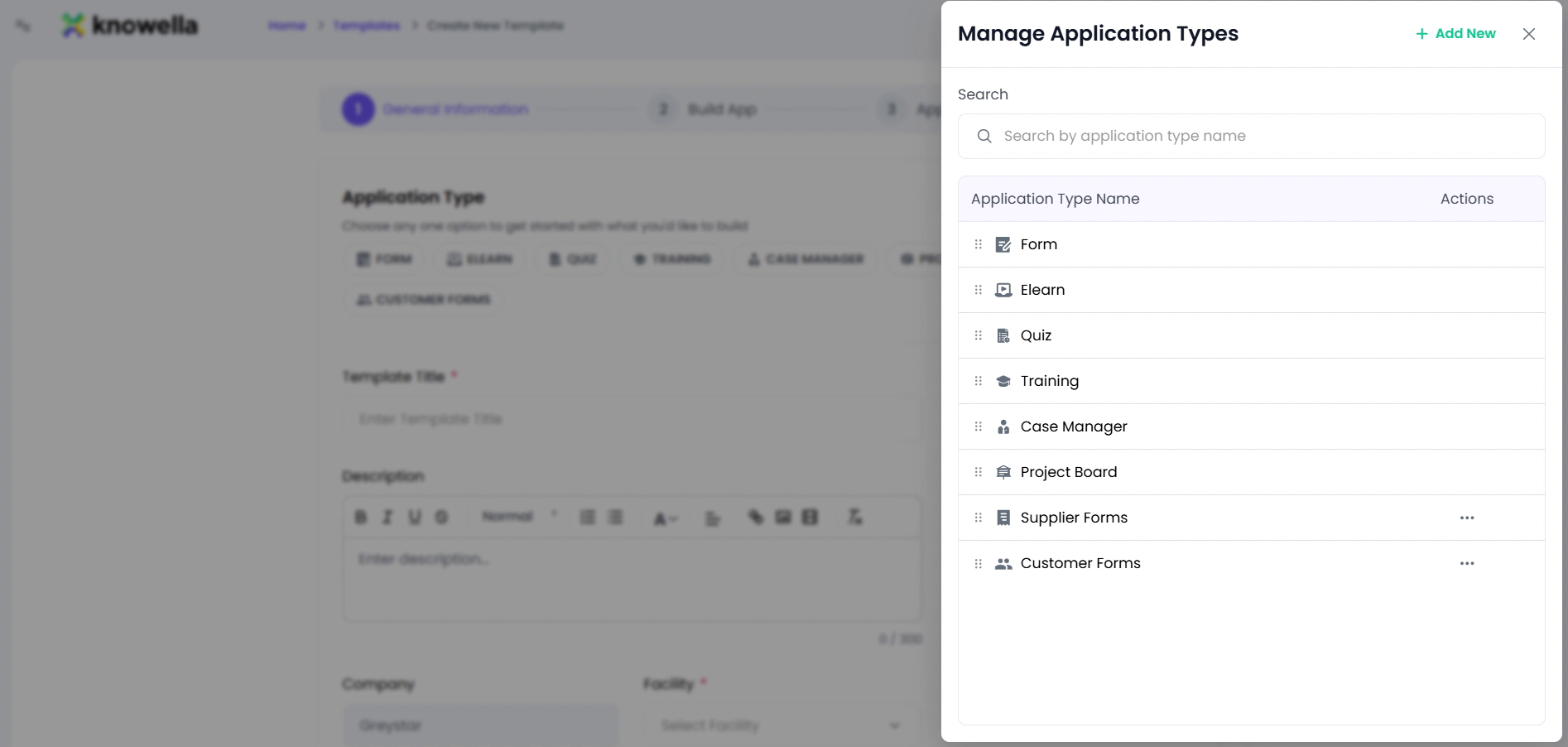
Pick or create an application type
Open Manage Application Types to see every type available, or add your own. Types control the icon, color, and behavior of the apps built from them.
- Built-in types — Form, eLearn, Quiz, Training, Case Manager, Project Board, Supplier & Customer Forms.
- Add New — Create a custom type with its own name, color, and icon.
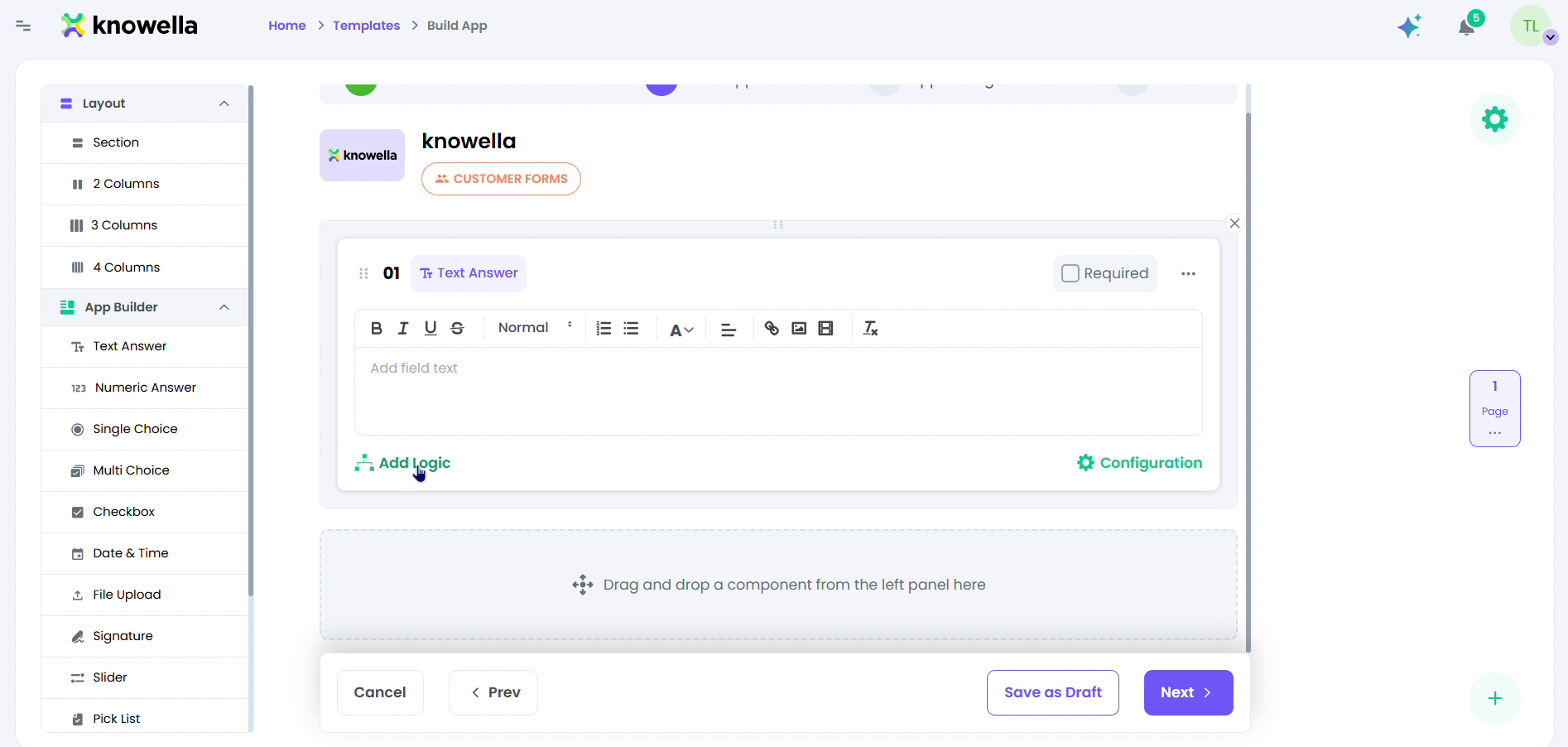
Build the app — drag & drop components
On Build App, drag components from the left panel onto the canvas, then click any one to fine-tune it.
- Field components — Text & Numeric answers, Single/Multi Choice, Checkbox, Date & Time, Signature, Pick List.
- Layout — Group fields into Sections and 2-, 3-, or 4-column layouts.
- Required & Logic — Mark a field required, or add conditional logic.
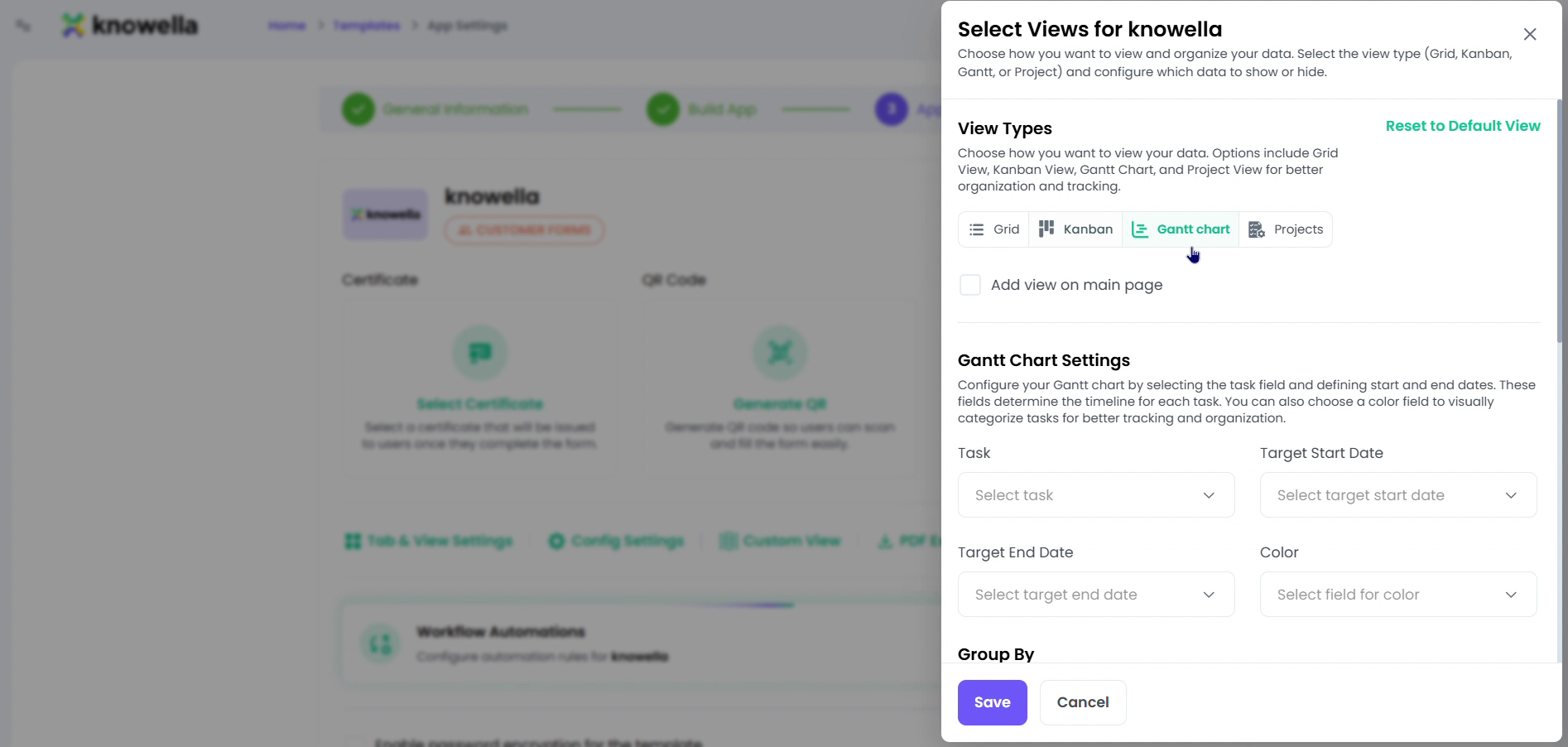
Configure App Settings & views
App Settings controls how finished records look and behave once your team uses the app.
- Views — List, Kanban, Roadmap, or Project — with Gantt and Group By.
- Certificate & QR — Attach a certificate and generate a QR code for field access.
- Workflow Automations — Trigger follow-up actions and approvals automatically.
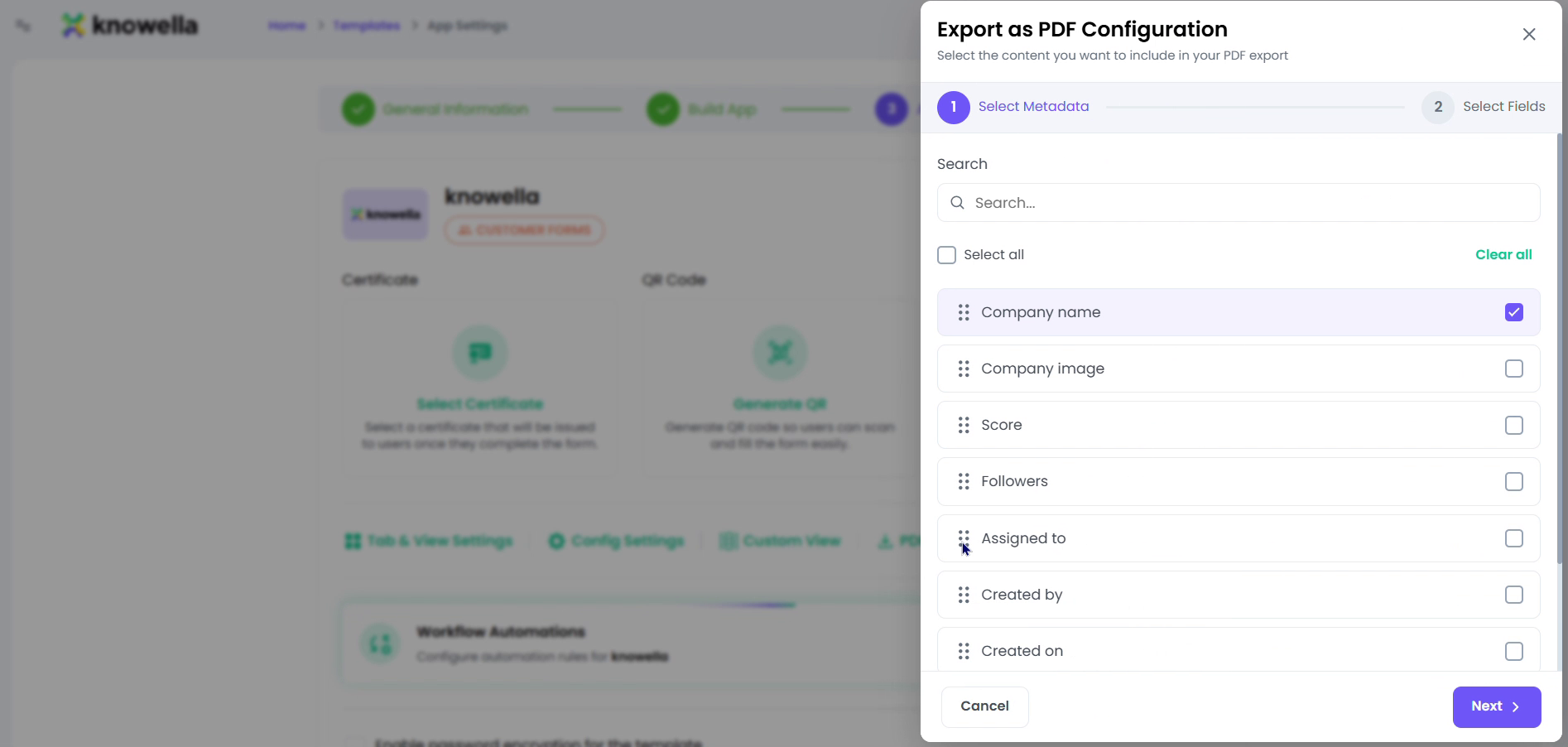
Set up PDF export, then preview & publish
Configure Export as PDF to choose which fields print on the shared record, then use Preview to see the finished app and publish it live.
- PDF fields — Pick and order fields — Company, Score, Assigned to, Created by/on.
- Preview & Publish — Ship the app to the selected company and facility.
Why it matters
Because you build the app instead of buying a fixed module, Knowella matches your process exactly — the fields you use, the logic you need, the views each team prefers — and you can change it any time without waiting on a vendor.
Ready to build your own?
Start free and ship your first app in minutes — or have us set it up with you.
More guides in Workflows & Forms
More resources