
Export a record as PDF
Turn any completed record into a clean, shareable, audit-ready document.
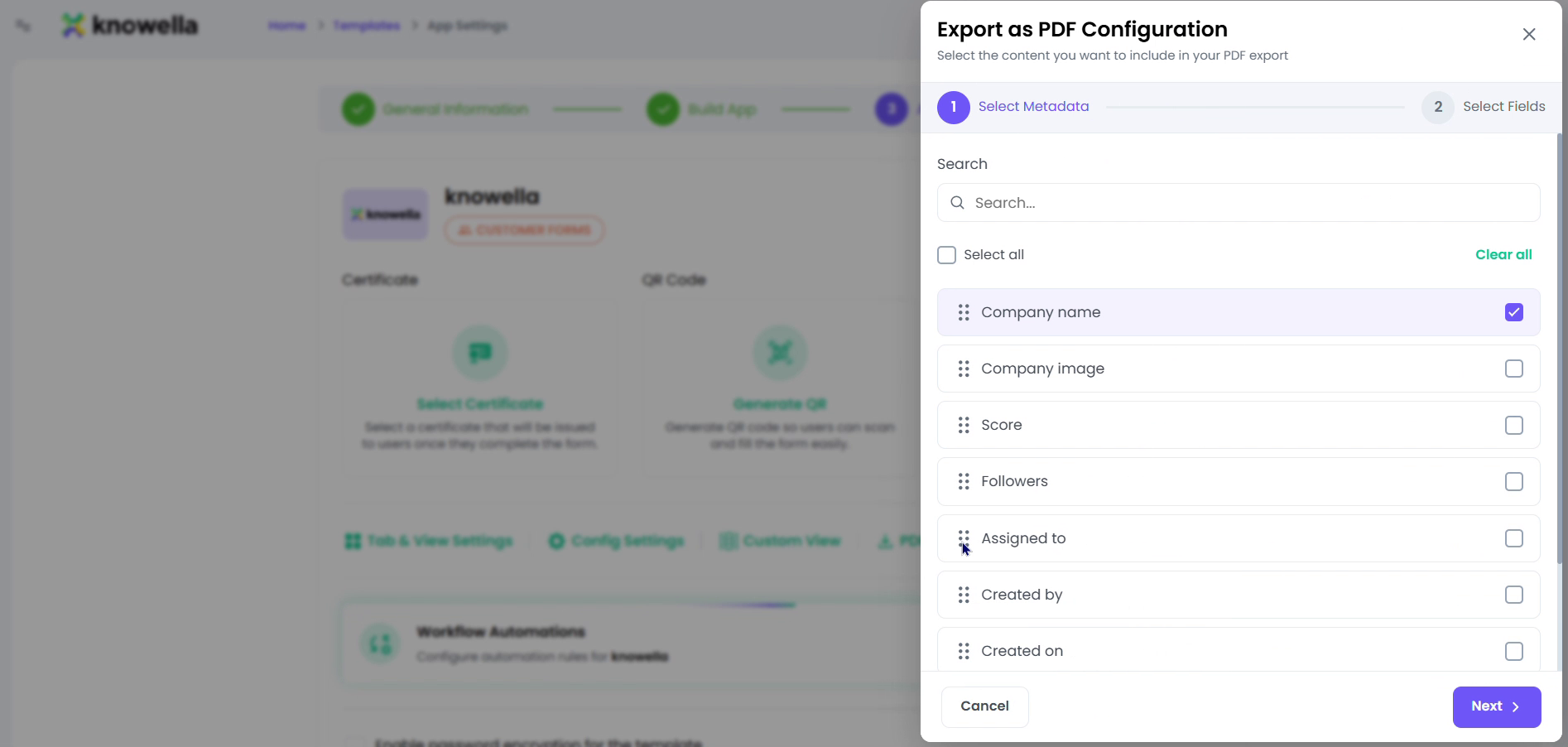
Configure Export as PDF
The panel shown is Export as PDF Configuration, opened from an app's App Settings. On the left is a field picker listing everything the record captures — Company name and image, Score, Followers, Assigned to, Created by, Created on, and any custom fields — each with a checkbox to include it and a handle to reorder it. As you toggle fields the document takes shape, and once saved, every completed record of this type exports as a clean, branded PDF containing exactly those fields in exactly that order.
- Field picker — Include Company name & image, Score, Assigned to, Created by, Created on, and more.
- Order & branding — Arrange fields so the PDF reads the way your customer or auditor expects.
Why it matters
Auditors and customers want a readable document, not a database screenshot. Controlling which fields appear and how they are ordered means the exported record looks professional and shows precisely what it should — nothing more, nothing less.
Ready to build your own?
Start free and ship your first app in minutes — or have us set it up with you.
More guides in Workflows & Forms
More resources